 SmartScroll
The short answer: YouTube offers no permanent way to remove Shorts on iPhone, and blocking all of YouTube overshoots, you lose tutorials, music and the long-form viewing you chose on purpose. The fix is a daily limit sized to your intentional use, enforced by an interruption that catches you when a Shorts spiral pushes past it. That's exactly how SmartScroll handles YouTube.
Why Shorts is the sneakiest feed of all
TikTok is at least honest: you open it to scroll. Shorts ambushes you inside a productive session. You search for a repair tutorial, and the Shorts shelf sits in your results and home feed like a trapdoor: one tap and you're in a full-screen, autoplaying, infinite loop with no visible clock. YouTube lets you tap "Show fewer Shorts," but the shelf quietly returns within about 30 days, and there's no setting to remove it for good. The platform wants you in the loop; you need enforcement it doesn't provide.
What people try first (and why it falls short)
- "Show fewer Shorts." Temporary by design: the shelf comes back.
- Blocking youtube.com entirely. Now you can't watch the conference talk or fix your dishwasher. Overblocking is why people uninstall their blockers within weeks.
- Apple Screen Time on YouTube. Better, but the "Ignore Limit" button turns the block into a suggestion at exactly the moment you're least able to refuse. More on that in why app blockers don't work.
The SmartScroll setup for YouTube
- Download SmartScroll from the App Store.
- Add YouTube to your monitored apps: it's one of the "common culprits" in setup, next to TikTok, Instagram and X.
- Size the limit to your intentional use. Think about what you mean to watch daily: say, 40 minutes of tutorials and subscriptions. Set that. The limit doesn't need to distinguish Shorts from long-form: Shorts spirals are what push you past it.
- Let the interruption end the spiral. When the limit hits mid-Shorts-loop, SmartScroll breaks the momentum ("The clock is ticking. You can't buy this minute back.") and offers three knowledge cards instead of video number forty-seven.
- Add a schedule if Shorts owns a specific hour. Lunch breaks and bedtime are common; protect them automatically.
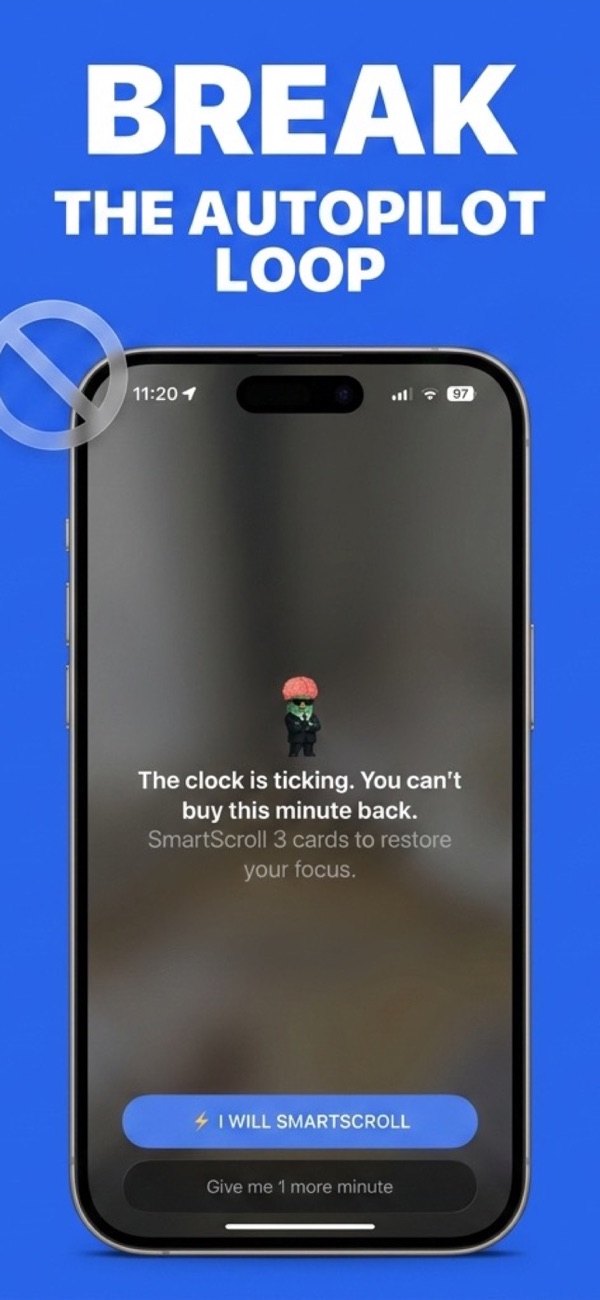
Why the interruption matters more here: Shorts sessions are unplanned by nature, nobody opens YouTube "to watch Shorts for an hour." An interruption that arrives mid-spiral is the only intervention that meets the habit where it actually happens.
Frequently asked
Will this block the YouTube videos I actually want?
Only after your daily limit, and you set that limit around your real viewing. The design goal is that intentional watching fits comfortably inside the cap and only autopilot spirals hit the wall.
What about Shorts on the iPad?
SmartScroll runs on iPhone and iPad, so the same limits and interruption flow protect both devices.
Keep the tutorials. Skip the spiral.
Download SmartScroll and put a real limit on the Shorts loop.