 SmartScroll
The short answer: Opal and SmartScroll solve different problems. Opal is a hard blocker: excellent at making apps inaccessible during scheduled focus sessions, at around $99/year for premium. SmartScroll is an interrupt-and-redirect app: it catches you at the moment your limit hits and swaps the feed for knowledge cards instead of a lock screen. If you disabled Opal on evenings and weekends (the classic pattern), the wall model was the problem, and a stricter wall won't fix it.
Side-by-side
| SmartScroll | Opal | |
|---|---|---|
| What happens at the limit | Interruption breaks the scrolling momentum, then offers knowledge cards: the craving gets an outlet | App becomes inaccessible for the session |
| Model | Redirect (replace the behavior) | Wall (block the behavior) |
| Price | Premium via in-app purchase | Free tier; premium around $99/year |
| Motivation layer | Life Grid: screen time shown as years of remaining life | Focus scores and session stats |
| Best at | Unplanned doomscroll sessions (evenings, bed, "one more video") | Scheduled deep-work hours |
| Known failure mode | You can consciously take "1 more minute" (by design) | Users disable it outside work hours, then binge |
| Platform | iPhone & iPad (iOS 17.6+) | iOS, with desktop companion |
Where Opal genuinely wins
Credit where due: if you need TikTok to be physically unavailable from 9 to 5 while you work, Opal's scheduled Focus Sessions are the stronger tool. Its strict modes are hard to break mid-session, the cross-app dashboard is polished, and for teams and deep-work routines it's a mature product. If that's your problem, Opal is a fine answer, and some people run Opal for work hours and SmartScroll for everything after.
Where the wall model breaks
The pattern Opal users describe is consistent: strict during work, disabled after dinner. That's not weakness: it's the wall model meeting an unplanned craving. A hard block gives the scrolling urge nowhere to go, so the pressure discharges into the bypass: end the session, snooze the block, or delete the app "just for tonight." At $99/year, a blocker you've turned off is an expensive decoration. The full mechanics are in Why App Blockers Don't Work.
What SmartScroll does differently
SmartScroll was designed for the exact moment walls fail: the craving peak. When your daily limit hits on TikTok, Reels, Shorts or X:
- The loop gets interrupted, not silently capped: "The clock is ticking. You can't buy this minute back." The autopilot trance breaks.
- The reflex gets redirected. Instead of a locked door, you get bite-sized knowledge cards, the same swipe gesture, pointed at something you'll remember. The urge discharges into the redirect instead of into a bypass.
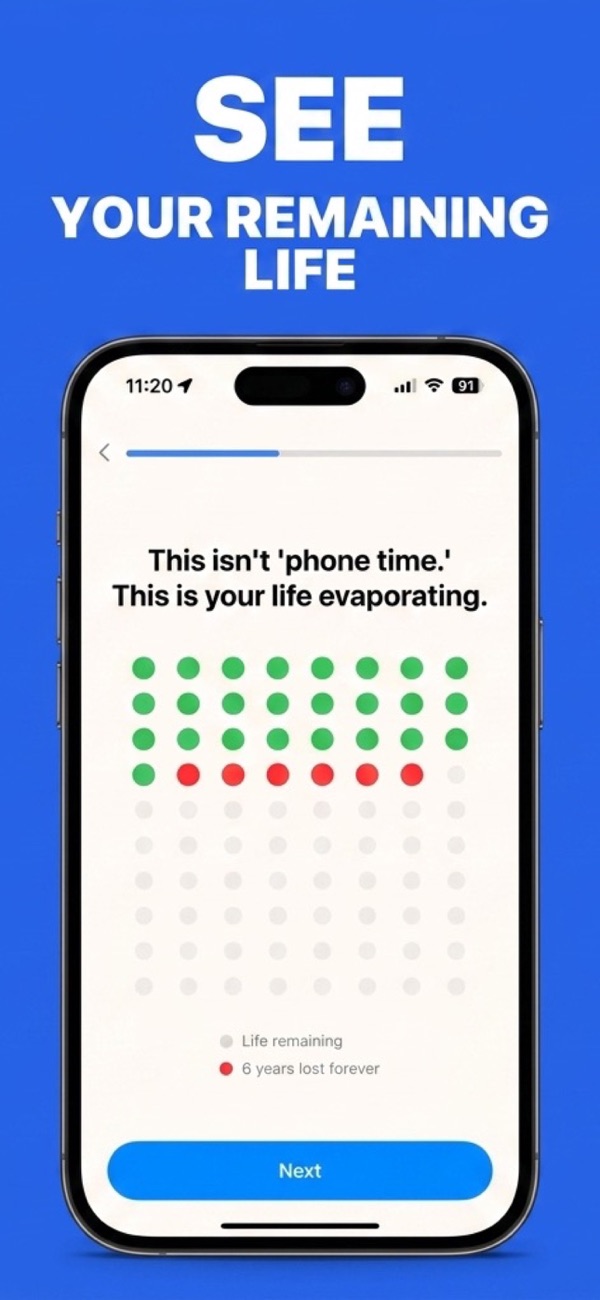
- The stakes stay visible. The Life Grid shows what the habit costs in the only currency that lands: years of your remaining life.
Honest caveat: SmartScroll always leaves you a conscious choice. "Give me 1 more minute" is on the screen. If you specifically want an unbreakable wall, SmartScroll alone isn't that, and we'd rather tell you than have you find out. The bet SmartScroll makes is that a decision beats a reflex: reflexes scroll for hours, decisions last a minute.
Which should you pick?
- Pick Opal if your problem is scheduled: you need guaranteed app-free work hours and you don't doomscroll much outside them.
- Pick SmartScroll if your problem is the unplanned session: evenings, bed, the reflexive open, and especially if you've already disabled a blocker (Opal included) at that exact moment.
- Run both if you have both problems. They don't conflict.
Try the approach built for the moment walls fail
Download SmartScroll and find out in two minutes if it fits.