 SmartScroll
The short answer: X doomscrolling is harder to quit than TikTok's because it disguises itself as staying informed. The fix has three parts: cap the app with a limit that interrupts instead of nagging, strip the feed of its outrage fuel (the For You tab and the trending panel), and move your legitimate reasons for being there, specific people and topics, into places that don't require the timeline. You keep the utility; the spiral loses its host.
Why X is the original doomscroll
- Negativity is the engagement engine. Text spreads on emotion, and no emotion spreads like outrage. The algorithmic For You feed learns within days that anger holds you longest, and serves accordingly.
- "Staying informed" is the perfect alibi. Nobody claims they need two hours of Reels for work. X scrolling gets rationalized as news, industry awareness, networking, which is exactly why it survives resolutions that kill other apps.
- The feed never resolves. News has a special hook: the story is always developing, so there's always a reason to check once more. That unresolved-loop feeling is the "doom" mechanism described in what is doomscrolling.
Step 1: Cap X with an interruption, not a nag
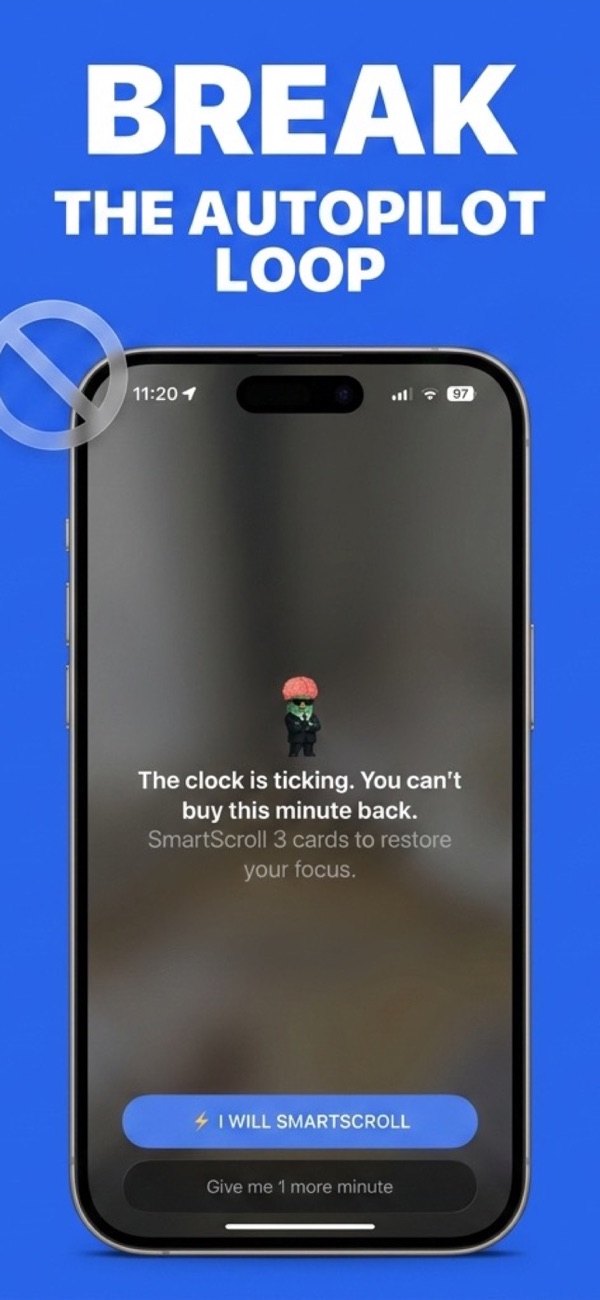
Add X to your monitored apps in SmartScroll and set a daily limit sized to your genuine use: for most people, 20 to 30 minutes covers the DMs, the specific accounts, and a reasonable news pass. When the limit hits mid-spiral, SmartScroll interrupts the loop ("The clock is ticking. You can't buy this minute back.") and offers knowledge cards instead of the timeline. The reflex to scroll text gets a text-shaped outlet, which matters: X habits respond especially well to the knowledge-card redirect because the gesture and format match.
Step 2: Strip the outrage fuel
- Live in Following, not For You. The chronological Following tab shows people you chose; For You shows whatever holds you longest. The difference in session length is dramatic.
- Mute aggressively. Mute the recurring outrage keywords and the accounts you hate-read. Muted words are the single most underused feature on the platform.
- Never scroll the trending panel. It is a doom menu, curated for provocation. If something matters, it will reach you through people you follow.
Step 3: Relocate the legitimate needs
List what you actually get from X, then move each item somewhere that doesn't have an infinite timeline attached: newsletters or RSS for the news, notification bells for the 5 accounts you'd genuinely miss, bookmarks checked once daily for the read-laters. Once the utility lives elsewhere, opening X stops being defensible as work, and the limit from step 1 stops feeling like a sacrifice.
The bedtime clause: X doomscrolling peaks late at night, when the timeline is angriest and your defenses are lowest. Add a schedule blocking X during your wind-down hours; the night guide covers the setup.
What to expect
Days 1 to 3: you hit the interruption often, and you notice how many opens were reflexive rather than informational. By the end of week one, the Following-only feed feels calmer and shorter, and the fear of missing news quietly fails to come true: the important stories reached you anyway, minus the 40-reply quote-tweet wars. Most people settle at 15 to 30 intentional minutes a day, down from 1.5 to 2 hours, with nothing of value lost.
Keep the signal. Lose the spiral.
Download SmartScroll and put a real limit on the timeline.