 SmartScroll
The short answer: stop relying on your 11 p.m. self to make good decisions. Willpower is at its daily minimum at bedtime, which is exactly when the feed is most tempting. The fix is a schedule: decide once, while you're rested, that endless feeds are blocked during your wind-down hours, then let an app enforce it automatically every night. That's what SmartScroll's custom schedules are for.
Why night is when doomscrolling wins
Three forces stack against you at bedtime:
- Ego depletion. Self-control is a finite daily resource, and by 11 p.m. it's spent. The same feed you resisted at lunch is irresistible in bed.
- No natural stopping cue. During the day, life interrupts you: meetings, meals, arrivals. In bed there's nothing between you and the feed except sleep, and the feed is more stimulating.
- Revenge bedtime procrastination. After a day that didn't feel like yours, scrolling feels like reclaiming free time. It's a real, documented pattern, and it trades tomorrow's energy for tonight's illusion of leisure.
The cost compounds: blue light and stimulating content delay sleep onset, late-night content skews negative (the "doom" in doomscrolling), and every lost hour of sleep makes tomorrow's self-control weaker, which makes tomorrow night's scroll longer.
The fix: decide once, enforce nightly
- Pick your protected window. Be honest about when you should be winding down. If you want to sleep at 11:30, protect 10:30 p.m. to 7:00 a.m.
- Set a schedule in SmartScroll. Add your night-time culprits, TikTok, Instagram, YouTube, X, and create a schedule covering your window. From now on, this decision is made before bedtime, by the version of you that actually wants to sleep.
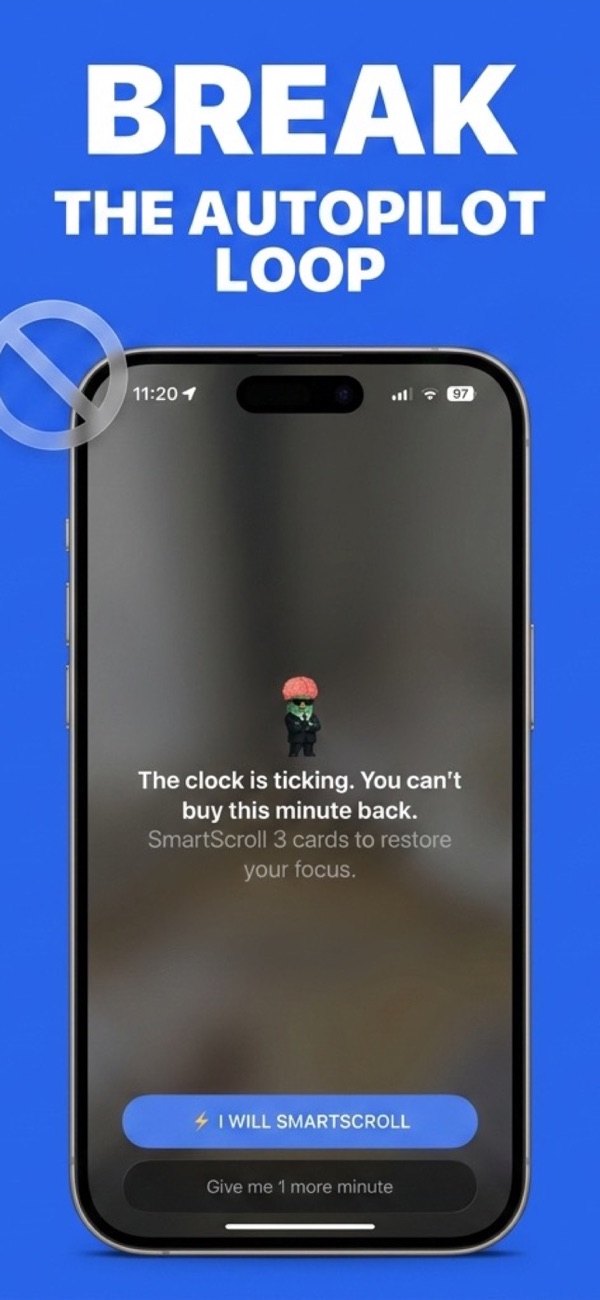
- Let the interruption catch the reflex. You'll still reach for the feed in bed: the habit doesn't vanish overnight. But instead of the For You page, you get SmartScroll's interruption: "The clock is ticking. You can't buy this minute back." The autopilot session dies before it starts.
- Give the urge a short runway. If your brain insists on scrolling something, SmartScroll's knowledge cards are a finite, calm alternative: a few bite-sized facts, not an infinite stimulating feed. Scroll three cards, learn something, put the phone down.
Stack the environment too: charge your phone across the room, use a real alarm clock, and switch your phone to a warm, dim display schedule after sunset. Every inch between your hand and the feed helps the schedule hold. For the full toolkit, see how to stop doomscrolling.
What changes after a week of protected nights
The first two nights feel strange: reaching for a feed and meeting a wall of your own making. By night three, most people stop reaching. Sleep onset moves earlier by 30–60 minutes, and because sleep restores self-control, daytime scrolling gets easier to resist too. It's the single highest-leverage window to protect: fix the night, and the whole day gets easier.
Frequently asked
Can I still use my phone at night for podcasts or alarms?
Yes. SmartScroll only blocks the apps you select, endless feeds, not your alarm, audiobooks, or messages. Chosen use stays; stolen use goes.
What if I genuinely need an app during the blocked window?
The interruption flow always leaves you a conscious choice: that's the design. The point isn't imprisonment; it's making "one more video" a decision instead of a reflex.
Protect tonight's sleep: automatically
Download SmartScroll and set your first night schedule in two minutes.